Microsoft Power Platform

Power Apps

Build powerful custom business applications without writing extensive code. Our Power Apps expertise spans canvas applications, model-driven apps, and complex enterprise solutions that streamline your business processes and enhance user productivity.

Power Apps, delivered by a Microsoft Business Applications Specialist

Business Applications Specialist Business Applications Specialist
App in a Day App in a Day
Microsoft Cloud Partner Microsoft Cloud Partner
Data & AI on Azure Data & AI on Azure
What We Deliver

Key Capabilities

Canvas App Development

Create responsive, user-centric applications with complete design flexibility. We build canvas apps that provide intuitive interfaces and seamless user experiences across desktop and mobile devices.

Model-Driven Apps

Develop structured, enterprise-grade applications with standardized components and metadata-driven architecture. Our solutions leverage the model-driven framework for scalability and maintainability.

Custom Connectors

Extend Power Apps connectivity with custom connectors to legacy systems and third-party services. We design secure, authenticated integrations that enable seamless data flow between platforms.

Dataverse Design

Build robust data models in Microsoft Dataverse with proper relationships, security roles, and business rules. Our designs optimise performance and ensure data integrity across your applications.

Mobile App Development

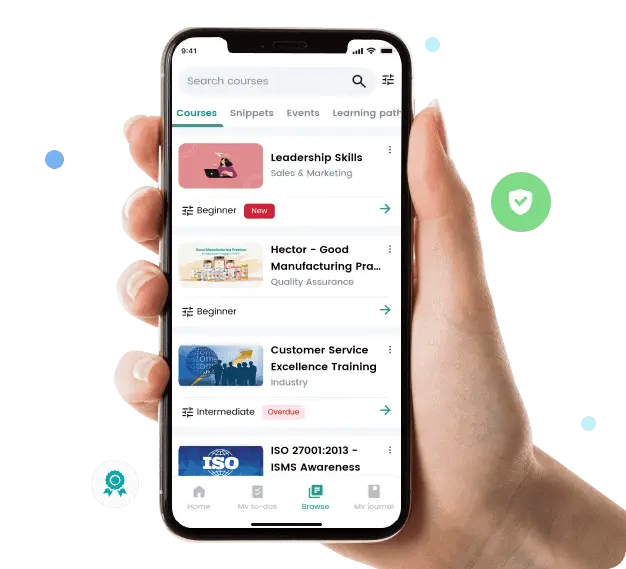
Create native mobile applications that work offline and sync when connected. We develop solutions optimised for field workers, remote teams, and on-the-go access to critical business data.

UI/UX Design

Deliver intuitive interfaces that users love. Our design approach focuses on usability, accessibility, and brand consistency while maintaining performance across all devices.

6 wks

From idea to a production Power App for most use cases

60%

Less delivery cost vs. equivalent custom-coded app

100%

Built with ALM, Dataverse and governance in mind

3x

Faster iteration with citizen + pro-dev collaboration

Common Use Cases

Where Power Apps drives value

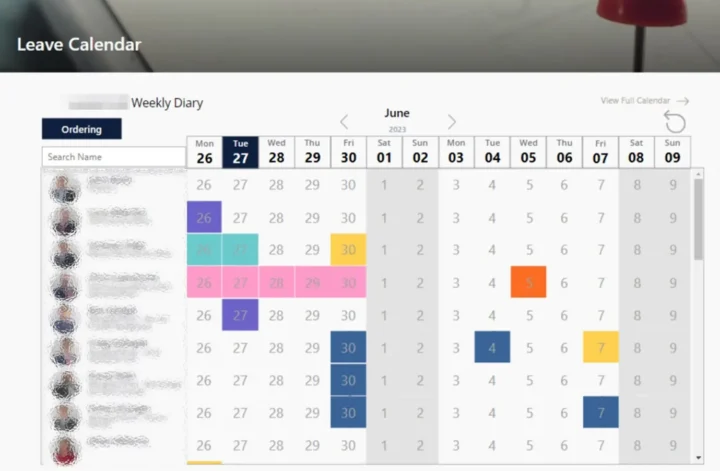
Replacing spreadsheets and Access databases

Move critical processes from fragile Excel or Access into a governed Power App with Dataverse, audit and role-based access.

Field service and inspection apps

Build offline-capable Canvas apps for engineers, inspectors and auditors that sync once back in coverage.

Internal operations apps

Deliver model-driven apps for HR, finance, ops and IT workflows tightly integrated with Dynamics 365 or line-of-business systems.

Customer and partner-facing apps

Combine Power Apps with Power Pages to build internal and external experiences that share the same Dataverse backbone.

Copilot-infused business apps

Embed Copilot, natural-language search and AI Builder into Power Apps so users get intelligent experiences out of the box.

Modernising InfoPath and legacy forms

Retire legacy InfoPath, Nintex or home-grown forms onto Power Apps and Power Automate with better UX and lower cost.

How We Work

A proven delivery approach

  1. 01 Step

    Discover

    Workshops with users and process owners to understand the problem, current workflow and success criteria.

  2. 02 Step

    Design

    Produce UX, data model, security and ALM design, with decisions on Canvas vs. model-driven vs. hybrid.

  3. 03 Step

    Build

    Deliver iteratively with a pro-dev and maker mix, using solutions, source control and automated deployment.

  4. 04 Step

    Adopt

    Train users, measure usage, gather feedback and iterate so the app keeps earning its place.

FAQ

Frequently asked questions

Should we use Canvas apps or model-driven apps?

Canvas apps are our default for task-focused, UX-rich scenarios and mobile or offline use. Model-driven apps fit process-heavy, data-model-centric applications, especially when integrated with Dynamics 365. Many estates use both, and we help you pick the right pattern per use case.

How long does a Power Apps build take?

A focused business app typically goes live in 6–10 weeks. Larger line-of-business solutions replacing legacy systems usually run 3–6 months and are often split into multiple releases to deliver value sooner.

When should we NOT use Power Apps?

When requirements demand a highly customised UX at scale, very high concurrent user counts, complex real-time processing or deep non-Microsoft ecosystem integration. We are happy to say so and recommend a different approach when that is the right answer.

How do you handle ALM and governance?

We always use solutions, environment separation (dev / test / prod) and pipelines — either Power Platform Pipelines or Azure DevOps / GitHub Actions — so apps move between environments in a controlled, auditable way.

Can Power Apps integrate with our existing systems?

Yes. We use Dataverse, Microsoft connectors, custom connectors, Azure API Management and Azure integration services to connect Power Apps to CRM, ERP, line-of-business APIs and SaaS platforms.

Can Synapx support the apps after go-live?

Yes. Synapx-as-a-Service includes ongoing support, enhancement and Microsoft update management for Power Apps, so your solutions keep pace with platform changes and business needs.

Ready to Get Started?

Let's discuss how we can help your organisation unlock the full potential of your technology.

Book Your Free Assessment