
Case Study · LCP
Leave Calendar with Power Automate and Power Apps
A custom Power Apps calendar synced from Timetastic via Power Automate and Dataverse, giving LCP a real-time, visually familiar leave overview embedded inside SharePoint.
- Client
- LCP
- Industry
- Asset Management
- Country
- United Kingdom
leave data synced from Timetastic into Dataverse
mirroring the existing Timetastic layout
forward leave visibility for managers and teams
directly inside the LCP SharePoint intranet
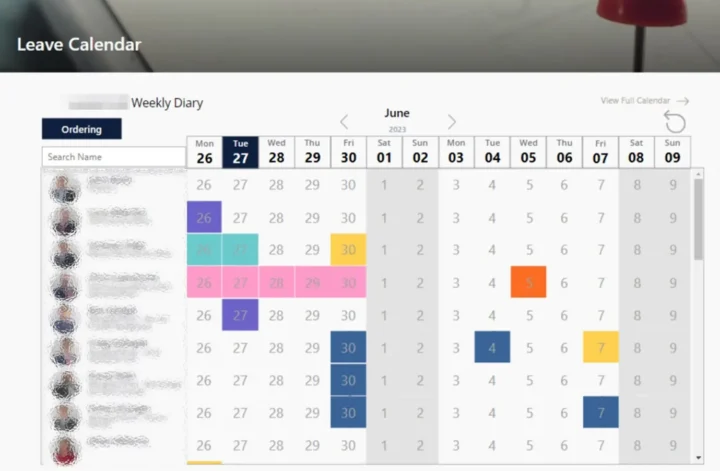
The client wanted information from their third-party leave calendar tool (Timetastic) embedded within their SharePoint site so they could quickly view who was on leave in the next two weeks, with a layout that mirrored the existing Timetastic experience.
Challenge
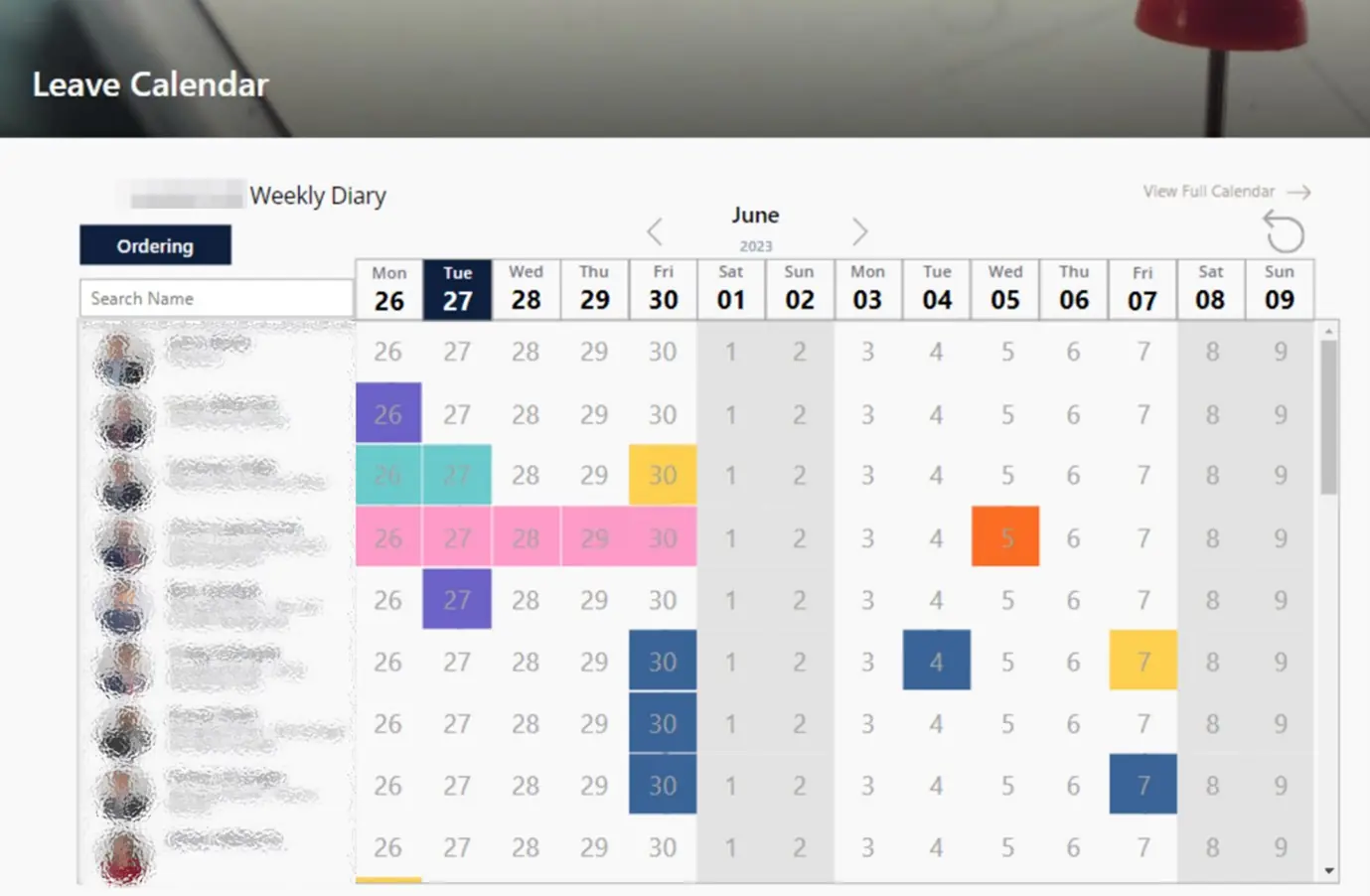
The client needed a way to quickly view employees on leave within the next two weeks, with the leave types colour-coded for clarity, similar to the layout in the Timetastic tool. The calendar view had to preserve the existing order of users, with clear markings for the current day and weekends. Aesthetically, it was essential that the display closely resembled the third-party Timetastic application.
Solution
To meet the client’s requirements, Synapx explored various methods for retrieving and displaying Timetastic data within SharePoint. Since no pre-built connectors were available, we opted for a custom solution. After evaluating multiple approaches, such as building a SharePoint web part using React JS, creating a custom Power BI report, or developing a bespoke Power App, we chose to move forward with a custom Power App integrated with Dataverse.
We started by designing a suitable data table within Dataverse to store the leave records. Using Power Automate, we sent an HTTP GET request to retrieve existing Timetastic data, which was then synced to our Dataverse table via a webhook for real-time updates. Finally, we constructed a calendar in Power Apps, linking it to Dataverse to ensure the dynamic display of leave data in a format that mirrored the Timetastic tool.
Result
This solution allowed the client to access a real-time, visually familiar calendar displaying employee leave for the upcoming fortnight.
The integration of Timetastic data with Dataverse and Power Apps provided a seamless, efficient experience that met both functional and aesthetic requirements.
Could your team benefit from a similar outcome?
Tell us about your goals and we'll show you how Microsoft, Data and AI can help you get there.
Start the conversation